
Overview of the Method
What we are going to be doing is promoting affiliate offers by leveraging the third-largest website in the world, YouTube.com.
However, these affiliate offers are not simple “make money online” guides (which usually get low conversion rates and lots of refunds).
No, we will promote high-value products that actually help people save time and make more money.
I’m talking about software and WordPress plugins in the “make money online” niche.
Here are just a few reasons I like to promote these offers:
-
Provide instant results for your customer
-
Higher conversion rates
-
Fewer refunds
-
Higher payouts
-
Sell themselves (you will soon find out why!)
Most YouTube guides will tell you to create your own videos, which is where many new marketers give up straight away. Luckily, not this time. 🙂
With this method, you don’t need to create any of your own videos.
Here’s the kicker: most WP plugins and software already have their own videos that demonstrate what the product is all about.
Product owners have done all the hard work for us by recording and reviewing their products!
So, our only job is to:
-
Find these offers.
-
Download the demo presentation video.
-
Upload it on YouTube with our affiliate link in the description box.
-
Make money!
Sounds simple? Probably. But does it work? Like a gangbuster!
Here are my last month’s stats:
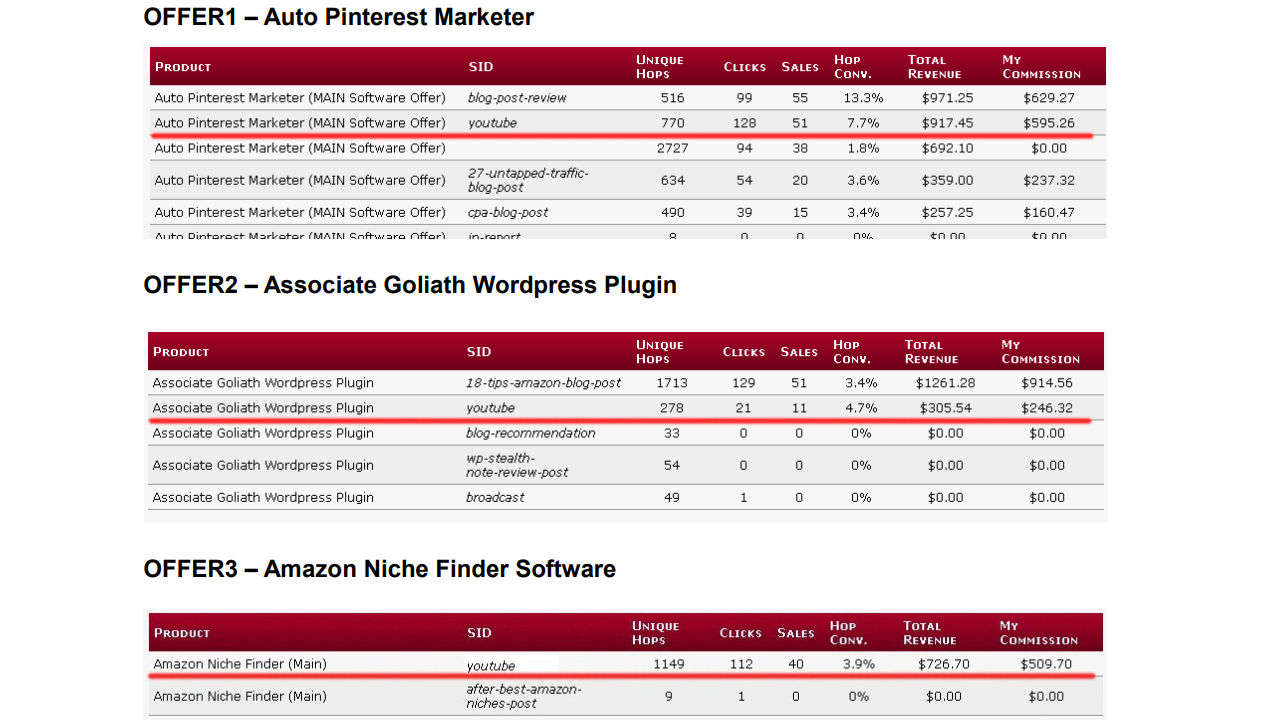
These are just a few of the many affiliate products I promote on YouTube through the Warriorplus.com affiliate network.
Now, I’m NOT showing you this to brag by any means. I want you to see what’s possible to achieve for YOU too, using the exact method I’m going to reveal to you in just a second.
Remember, when you sell affiliate products, product owners also make money. This is why they even encourage you to use their videos to get more exposure for their products. Some of the product vendors include these videos in their “affiliate tools” section for affiliates to use freely.
Finding Affiliate Offers to Promote
There are three main places for “Make Money Online” plugins and software:
► WarriorPlus
► JVZoo
► ClickBank
I personally like to promote Warrior Special Offers (WSOs) through WarriorPlus. But that’s just me. Any network listed above will work, really. In fact, using all three, you will have more offers to choose from and way less competition. Later, I will show you how I find offers on all three affiliate networks (including ClickBank).
Picking Up an Offer from WarriorPlus
Let’s open up WarriorPlus and see what new products have been recently released. To do that, you need to sign up and go to Affiliates > Offers.
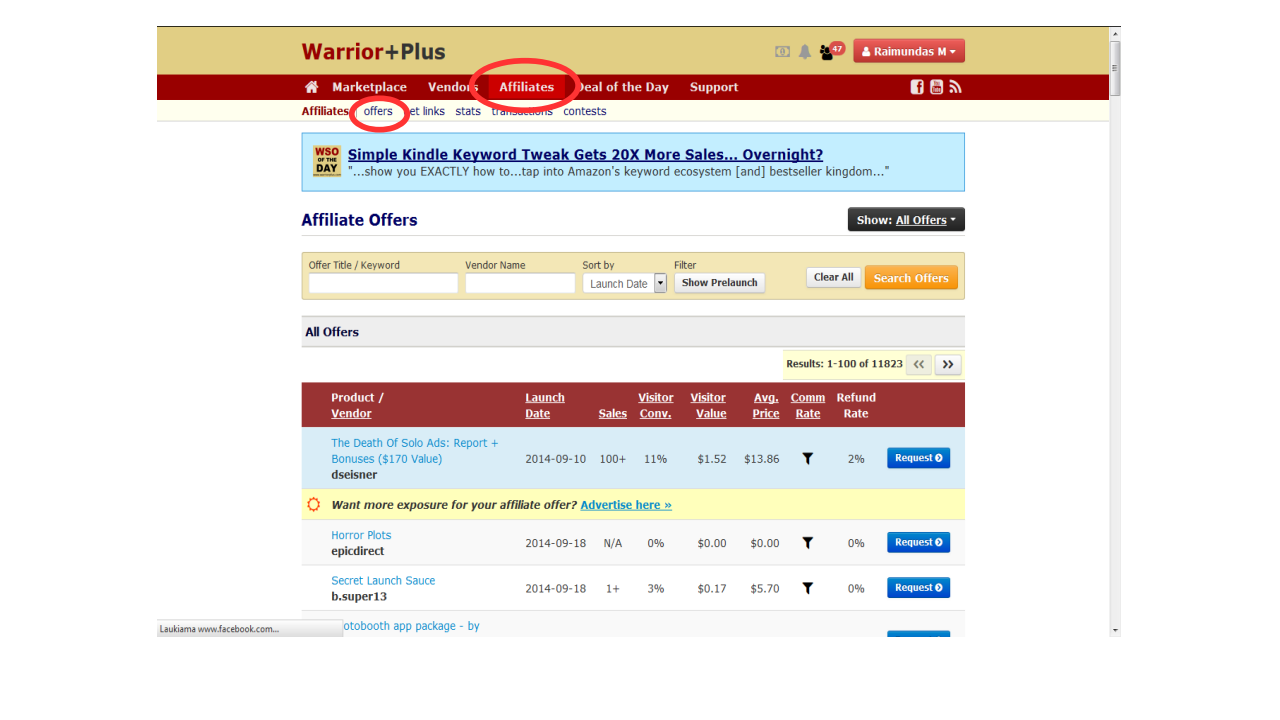
I can instantly see one product available to promote: WP-BadAss Countdown Plugin. Let’s dive in deeper and analyze the sales page.
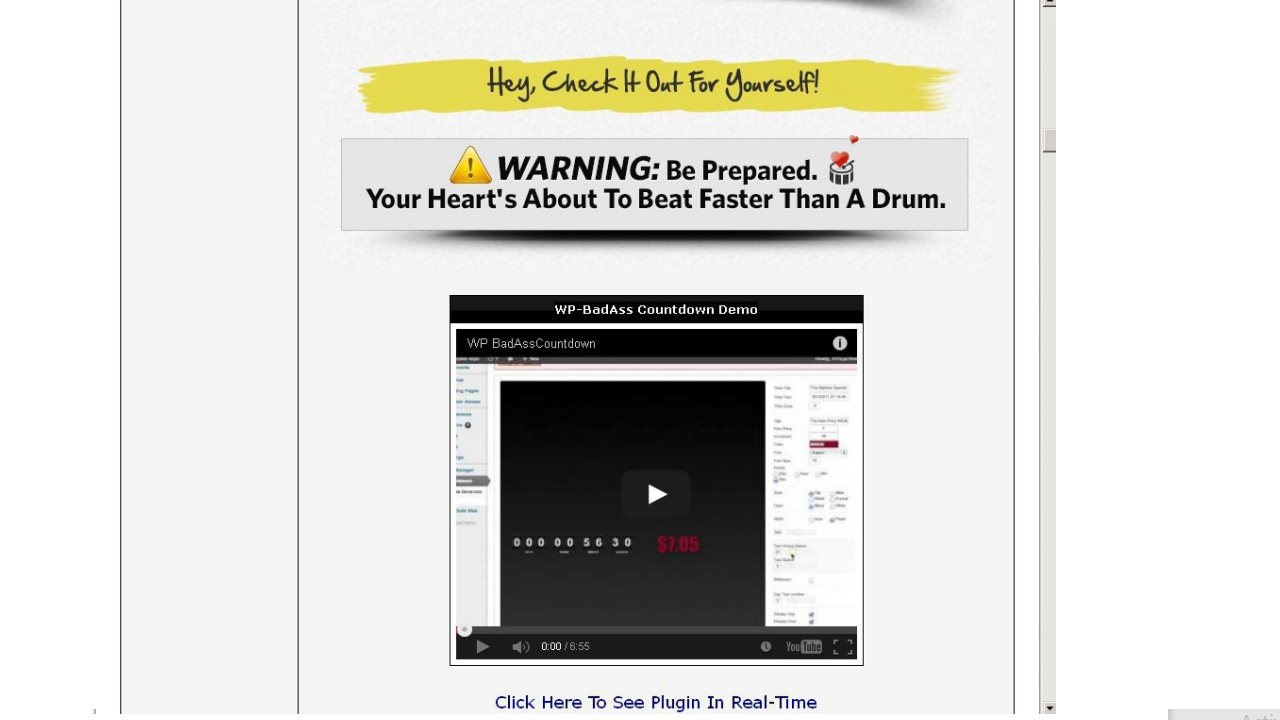
Bingo!
This is exactly what we need: a video with a detailed explanation about the plugin. Now, keep in mind that selecting the right offer is also very important. This offer looks great, but I would pick something that is more in demand. Anything related to automation, bots, or auto-blogging is what you should be aiming for.
POWERFUL TIP: Use the search function to filter out WP plugins and software. Let’s type “plugin” and see what happens…
Boom… 411 WP plugins to choose from. 🙂
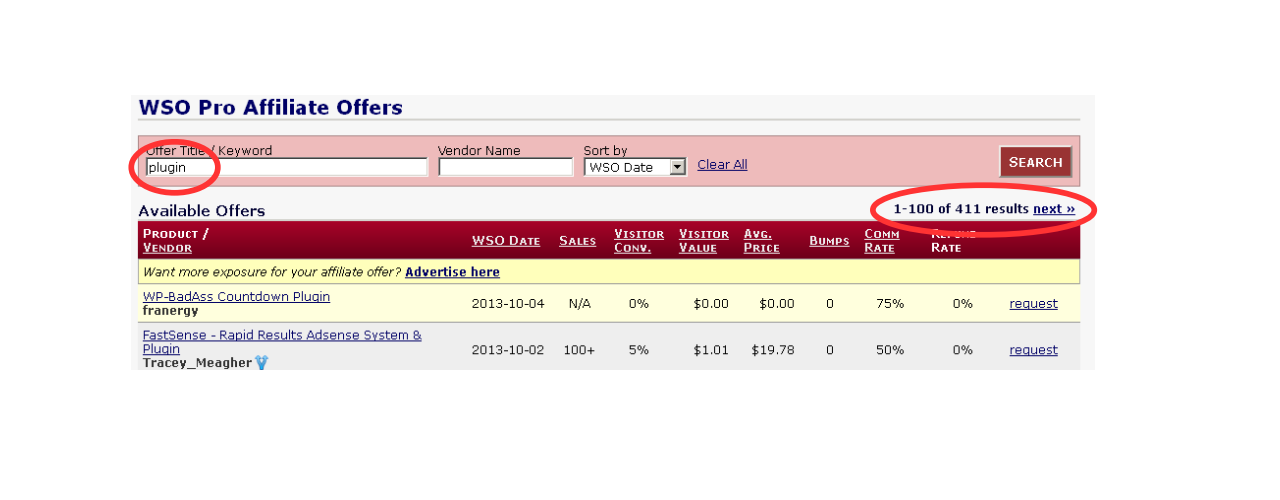
Let’s go to the http://www.clickbank.com marketplace now and do the same there…
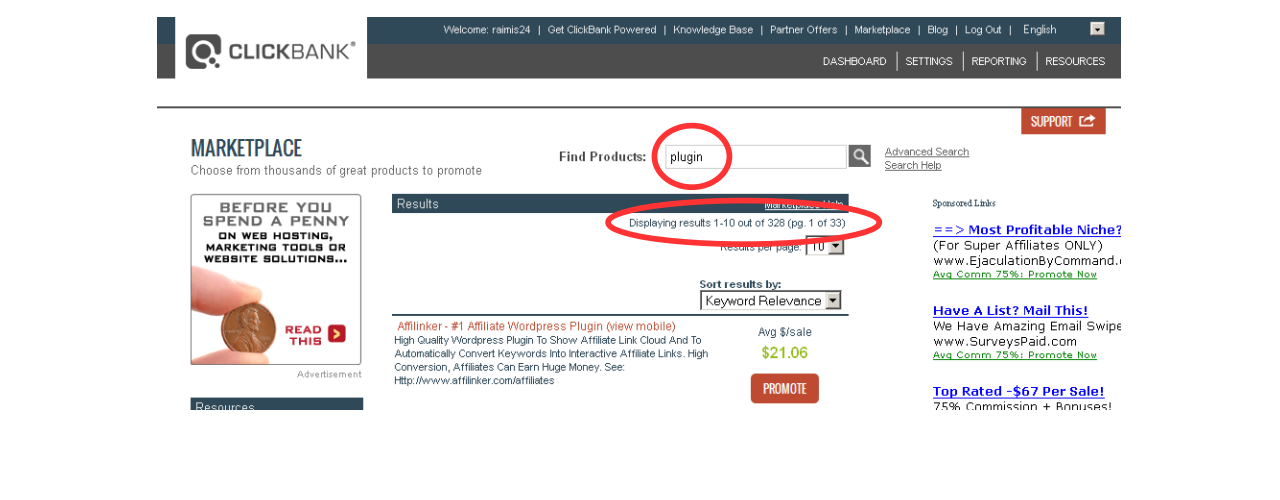
328 results. Not bad.
How about JVZoo.com?
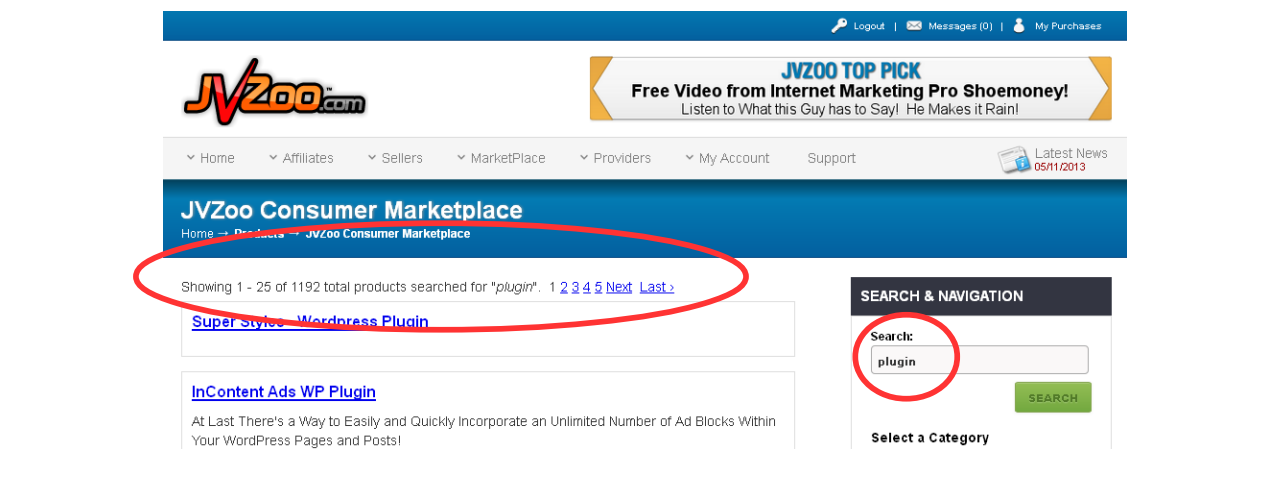
Another 1,192 products… Brilliant.
As you can see, there are hundreds of plugins for us to promote and many more being released every single day. The opportunity here is almost limitless.
Downloading the Video from YouTube
Now that we know how to find these offers, let’s select one for the sake of the example and download it to our computer.
On WarriorPlus, I will sort results by total sales by clicking on “Sales.” This will give us a better idea of what sells best and is popular/in demand.
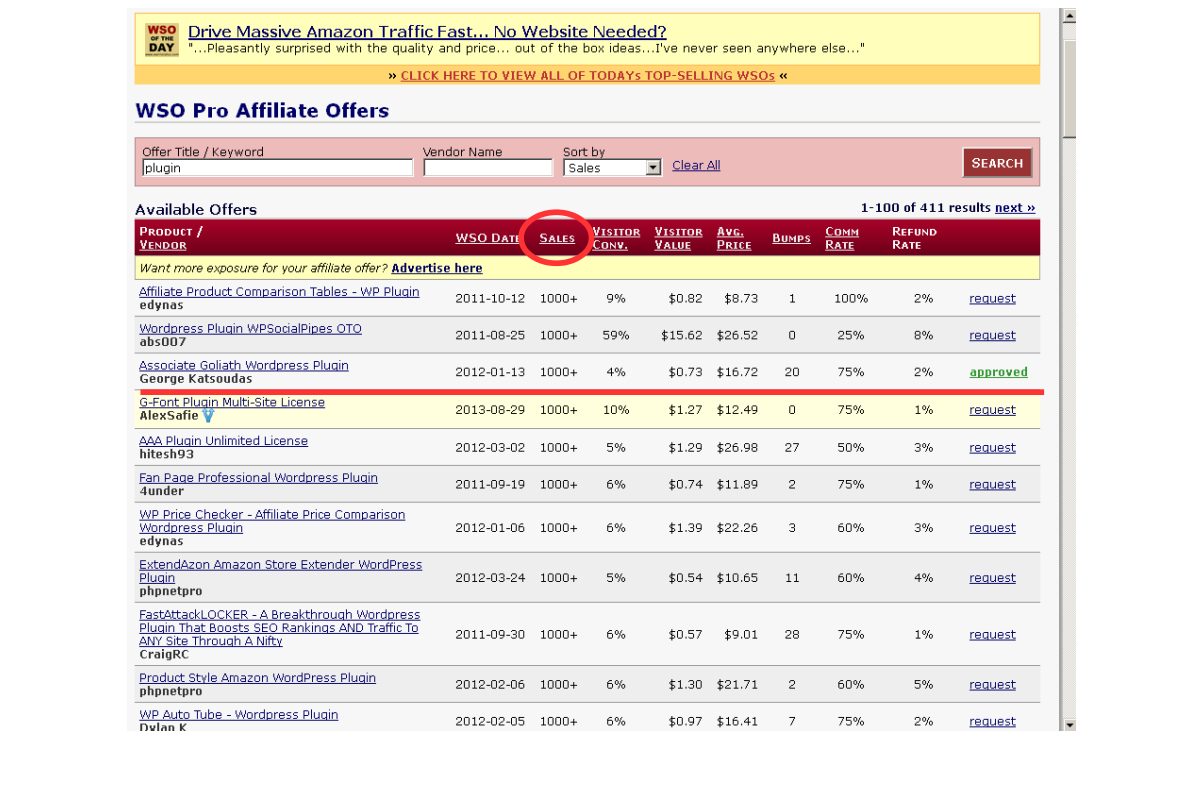
As you can see, there are many plugins with over 1,000+ sales made, which is great. For this example, I chose the already-proven-to-work Associate Goliath WordPress plugin by George.
NOTE: All WarriorPlus and JVZoo products require approval from product owners. So, in order to promote the offer, you will need to send a request first.
TIP #1: When requesting approval, tell them that you are going to be using an email list and paid media (solo ads, PPC, media buys) to promote their products. Tell them that even if you don’t have an email list at the moment. It will get you approved more easily.
TIP #2: Paste your Facebook profile URL into the request form. This will show them that you are a real person and that your intentions are good.
Here’s the sales page of the plugin. And right there we have a video!
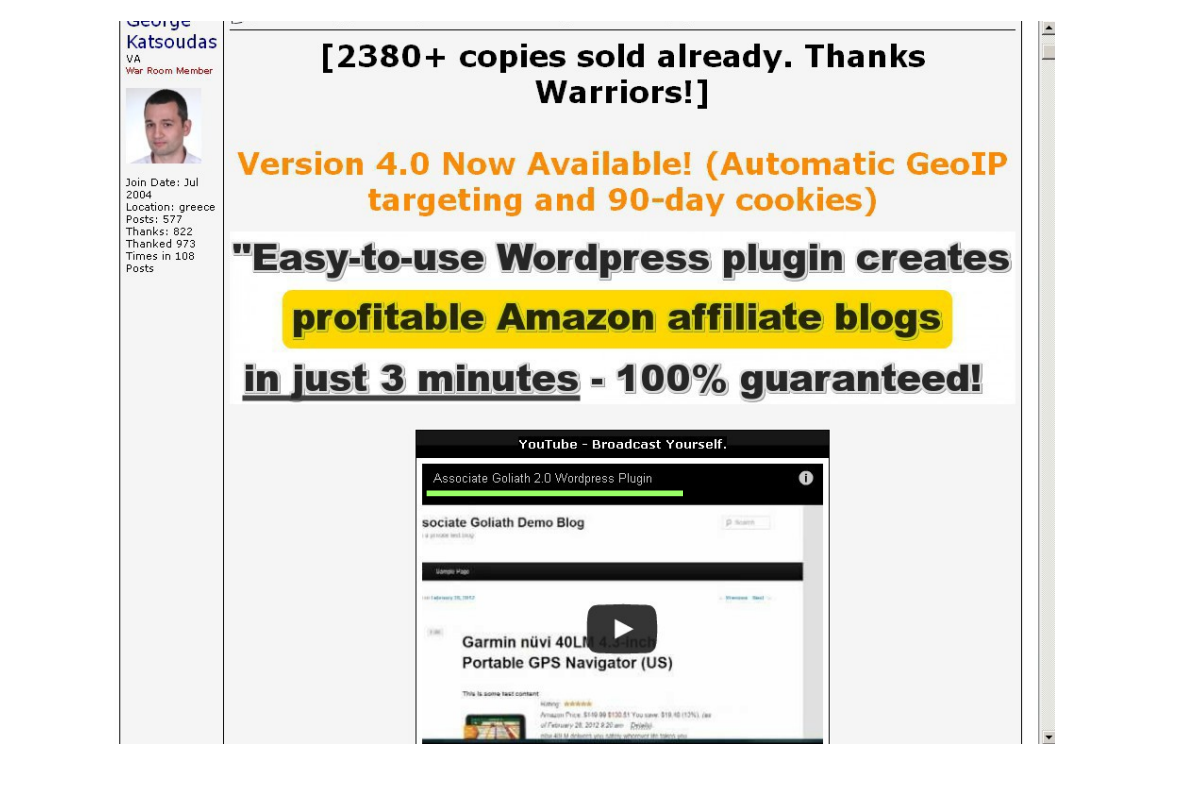
This Amazon auto-blogging WP plugin looks pretty decent. Over 2,380 copies sold already (great social proof) and a very detailed step-by-step video that will do all the selling for us.
Copy the title of the video (marked in green above) and do a search on YouTube.
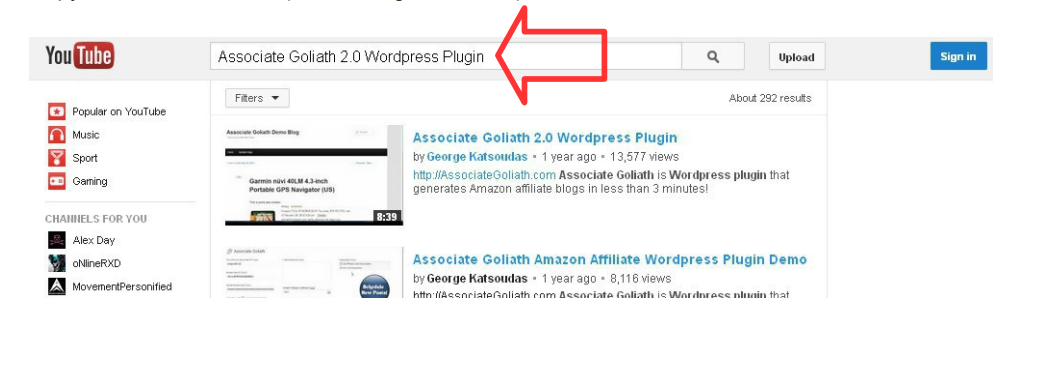
Click on the video and then copy the video URL.
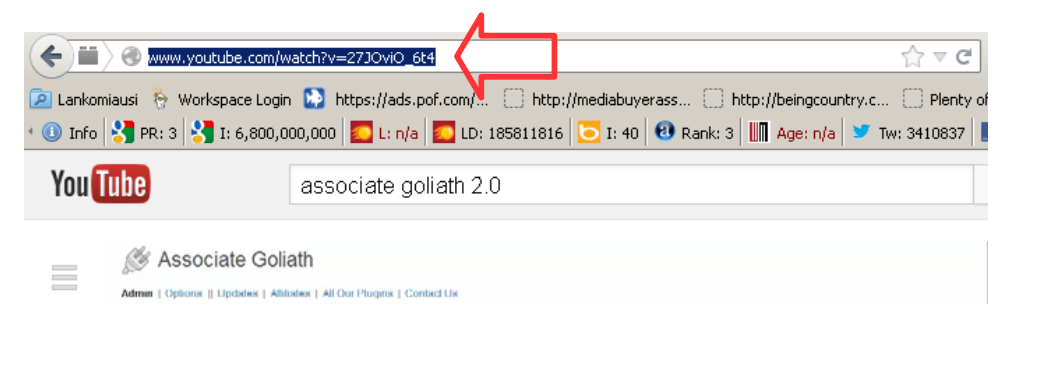
To download the video, we will be using one of the websites.
Go to Google and type: download YouTube video.
Paste the URL and it will download.
The exact same process applies to JVZoo and ClickBank products:
-
Visit the Offer Page: Navigate to the sales or product page of the JVZoo or ClickBank product you are interested in.
-
Copy the Video Title: Identify and copy the title of the promotional video featured on the page.
-
Search for It on YouTube: Use the copied video title to search for the video on YouTube.
-
Download the Video: Once you find the video on YouTube, use a reliable tool or service to download it.
Uploading the Video on YouTube
Our next step is to upload the video to your YouTube account.
I highly recommend starting with at least 10 different YouTube channels.
Most marketers only use one channel, upload a few videos, and then complain that their strategy doesn’t work.
This approach is exactly what differentiates advanced marketers, who earn a lot of money, from newbies who don’t make anything.
The key factor is the number of videos uploaded on YouTube.
Creating a new channel is actually very easy.
I will show you how to do that at the end of this report.
Why would you want to have more than one channel?
Well, YouTube only allows the same exact video to be uploaded to one channel. If you try to upload the same video again, YouTube will notify you that the video is already uploaded.
When one of your videos starts to attract a lot of attention, clicks, and sales, you’ll want to upload the same video again using different title names. This is where having multiple channels per account becomes advantageous.
You can upload the same video on as many different channels as you want.
However, don’t worry about this for now. Having just one channel will suffice to get started.
Let’s upload the video…
What you want to do is be creative and come up with a lot of different title variations to reach a wider audience.
Criteria to be considered to optimize your title:
-
Catchy title
-
Asking a question
-
Using power keywords such as discover, reveal, amazing, instant, etc.
Or you can go on Google and type something like…
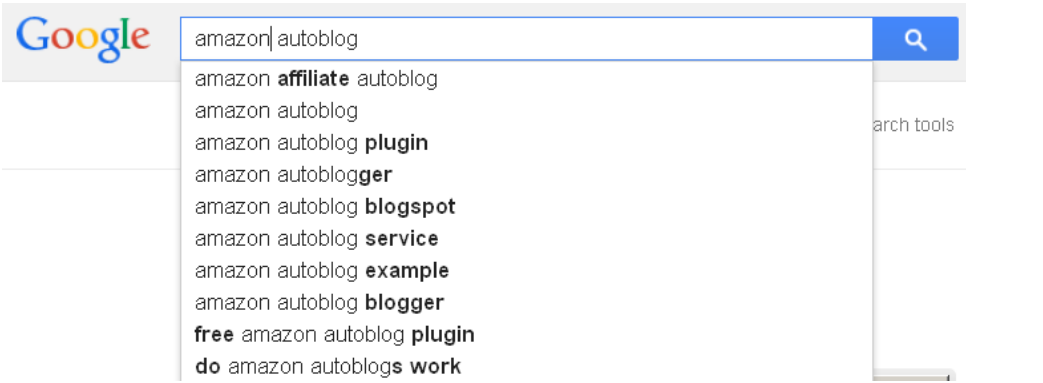
Or…
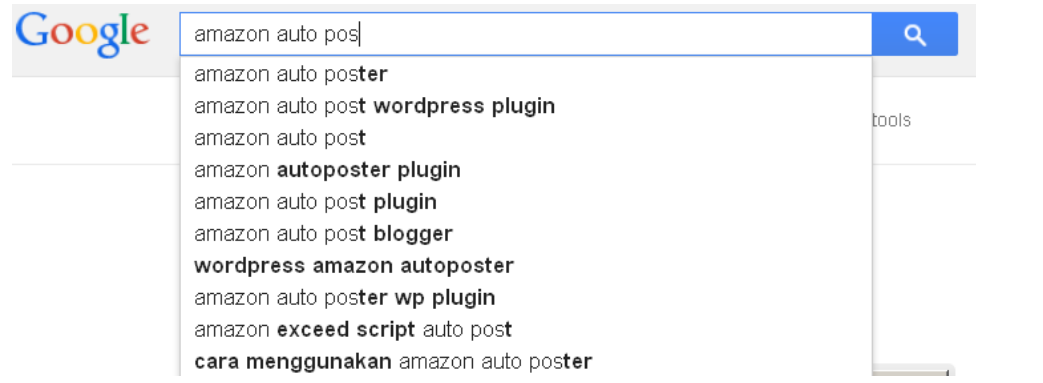
Here are a few more examples I would probably use for the same video on my other YouTube channels:
Best WordPress Amazon Autoblogging Plugin?
Automatically Post Amazon products to my blog
Amazon affiliate automation plugin
Auto post Amazon products to blog
Autoblogging plugin for Amazon Affiliates
How can I use Amazon affiliate with autoblog?
Best auto blogging WP plugin for Amazon?
Best Amazon auto blogging WordPress plugin?
How to auto post Amazon products on my blog
How to automatically post Amazon products on my blog
How to add Amazon products on blog automatically
Amazon Associates Autoblog plugin
Amazon Associates Autoblog WP plugin
and so on…
PRO TIP: Use ChatGPT to come up with even more ideas.
Description: There are three main things I like to stick with when it comes to video descriptions:
-
I want my affiliate link to be at the top and highly visible.
-
I add other title variations in the description box for better rankings.
-
Sometimes, I even include a URL of my video. In case someone scrapes the video and adds it to their blog, this will give me a free backlink from their blog back to my YouTube video.
If you are completely new, you can start by using a shortening service to cloak your affiliate links.
Description criteria:
-
Start with the link
-
Include your primary keyword at the beginning
-
Depending on the text length and keyword density, consider having your primary keyword in the middle and at the end of the text body
-
Add LSI (Latent Semantic Indexing = relevant, related) keywords or some title variations you came up with
Make sure your video’s privacy settings are set for public viewing and your category is correct, then hit publish!
Congratulations!
You now have your first affiliate video live on YouTube!
As I recommended before, you can simply create another channel on the same YouTube account and upload the same video there.
This great feature has been added to YouTube very recently.
This means there is no need to create new Google accounts anymore.
To create another channel on your YouTube account, simply click on the link below:
https://www.youtube.com/create_channel?action_create_new_channel_redirect=1
Your new channel will be instantly created, and you will be able to upload new videos right away.
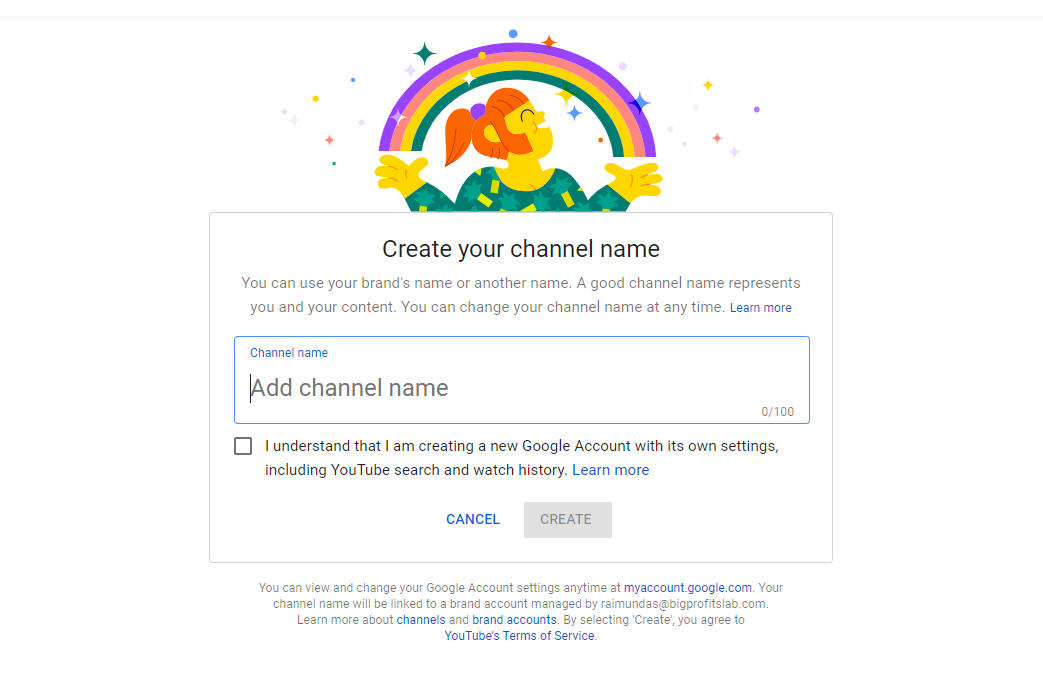
Now, go ahead and upload the same video using different title names on this new channel.
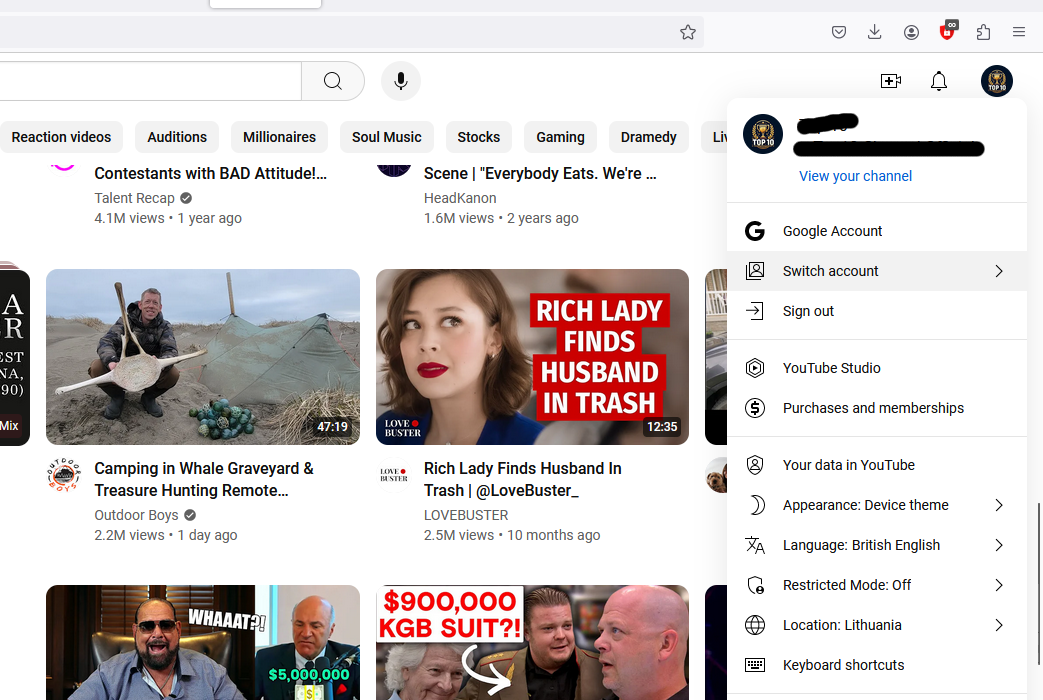
If you want to switch between your YouTube channels, simply click on the icon as shown below and select the channel you want to use:
However, don’t stop there!
Find more affiliate offers and upload more videos!
As soon as you start getting some sales, invest that money into outsourcing the whole process.
Hire people to do all the work for you and watch the money come in!
Imagine having 10 plugins that each generate $300 a month. That’s $3,000 every single month on complete autopilot!